


Chat with your Iberis finances in natural language
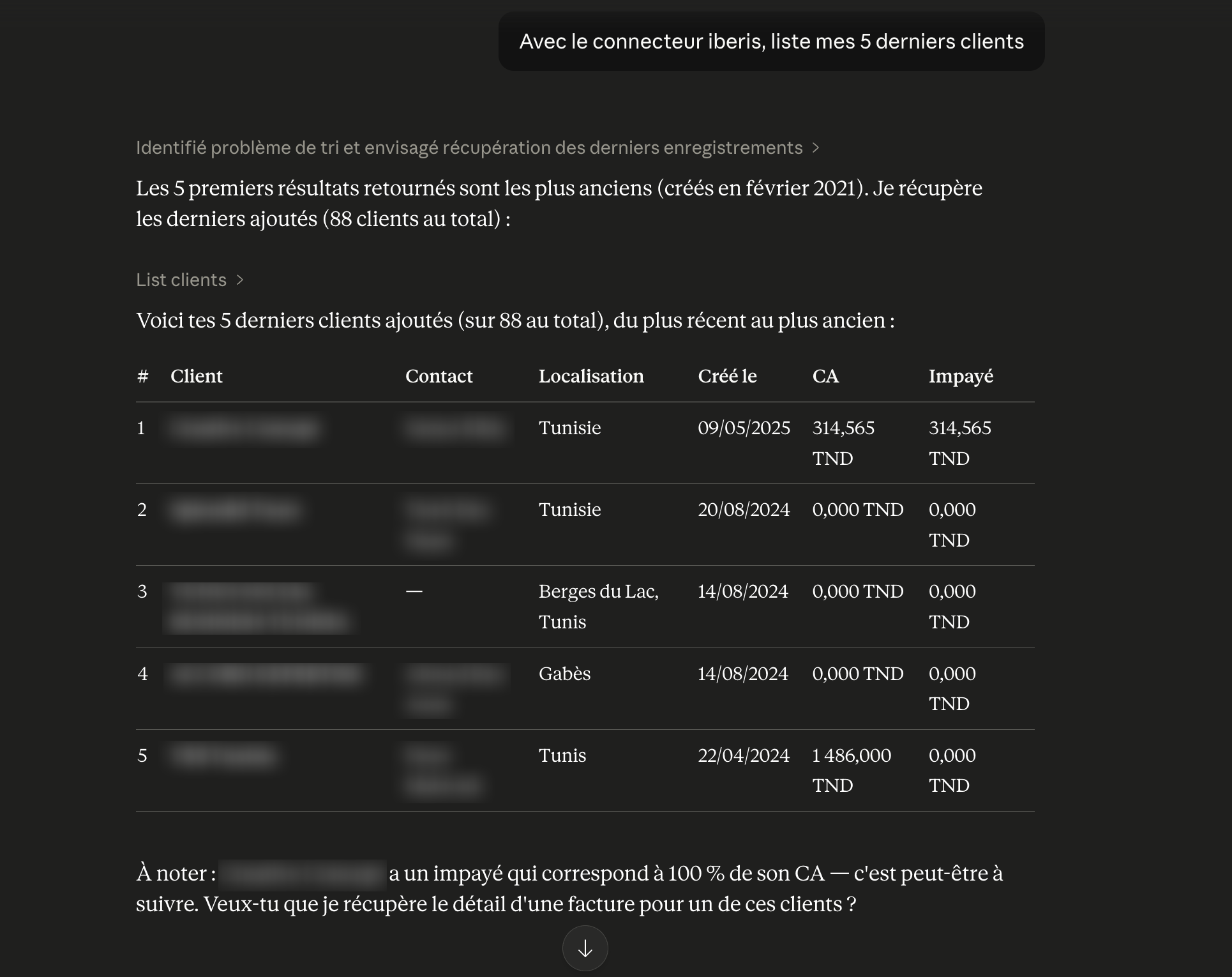
The Iberis MCP connector lets you connect Claude, ChatGPT or any compatible AI assistant to your financial data. Query invoices, clients, expenses and quotes, create documents and export PDFs — all by simply asking questions.
Your AI assistant now knows your finances
The MCP protocol (Model Context Protocol) is the open standard that lets AI assistants access your business tools. Iberis is the first Tunisian management software to offer a native MCP connector, giving you immediate access to all your financial data from your favourite assistant.
What is the Iberis MCP connector?
The Iberis MCP connector is a secure bridge between your AI assistant and your Iberis account. It exposes your financial data — invoices, clients, suppliers, expenses, quotes — as tools the AI can read and control. Every action is authenticated with your Iberis account, guaranteeing privacy and full control.
What you can do with the connector
Query your data
Ask for your unpaid invoices, a client's balance, monthly expenses or a quote breakdown — your AI answers instantly.
Create and edit documents
Create an invoice, quote or expense by simply describing what you want. The AI fills in the fields and submits the document in Iberis.
Export to PDF
Generate and download a PDF of an invoice or quote directly from your chat with the assistant.
Multi-company
Manage multiple companies from a single assistant. Switch between entities in one sentence and query your multi-company data.
How to connect your AI assistant
https://mcp.iberis.io/financesConnect Claude (recommended)
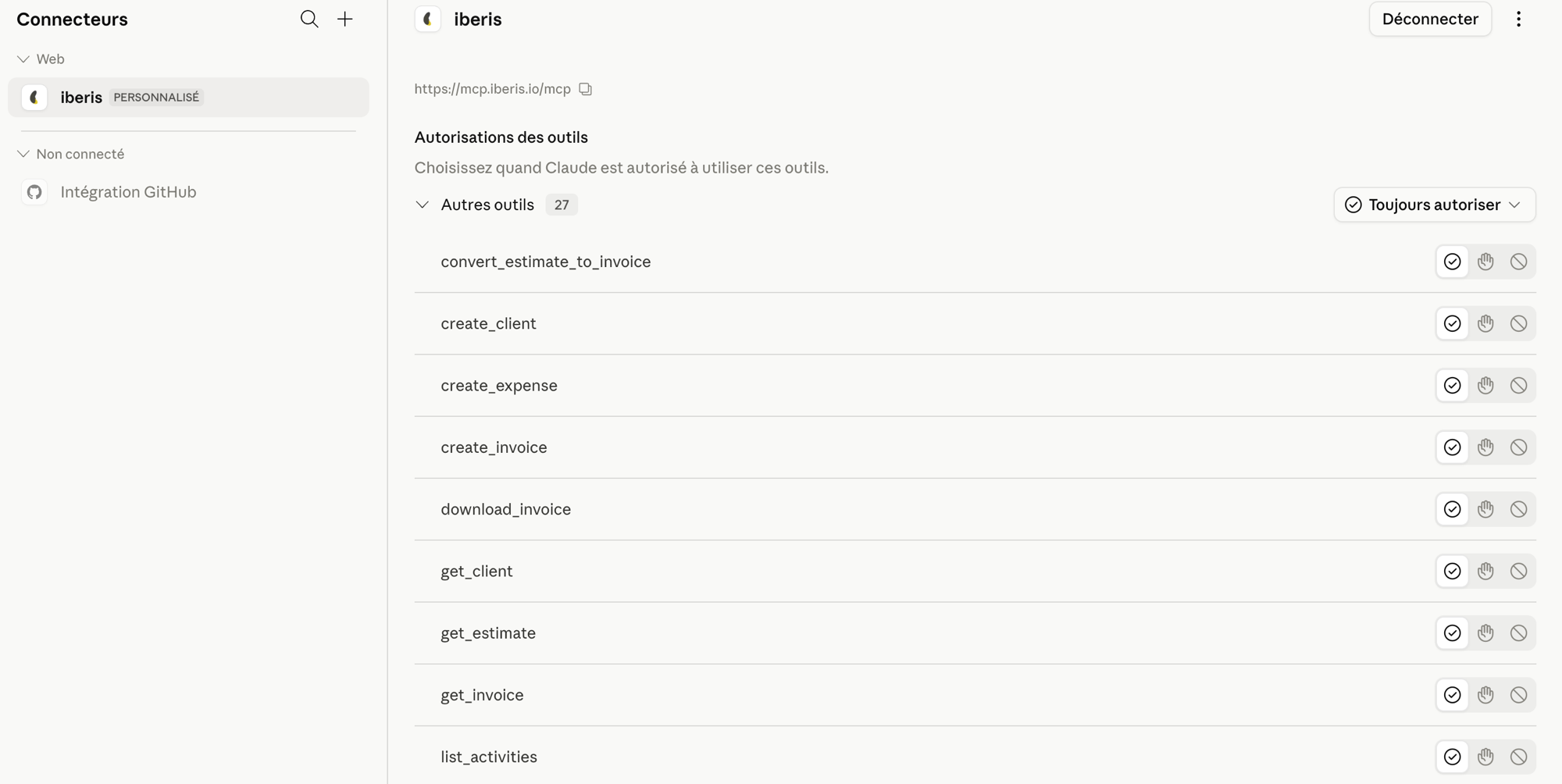
- Open Claude and go to Settings
- Select the Connectors tab
- Click Add a custom connector
- Paste the Iberis MCP connector URL above
- Click Connect and sign in with your Iberis account
- The connector is active — start asking questions about your finances!
Connect ChatGPT
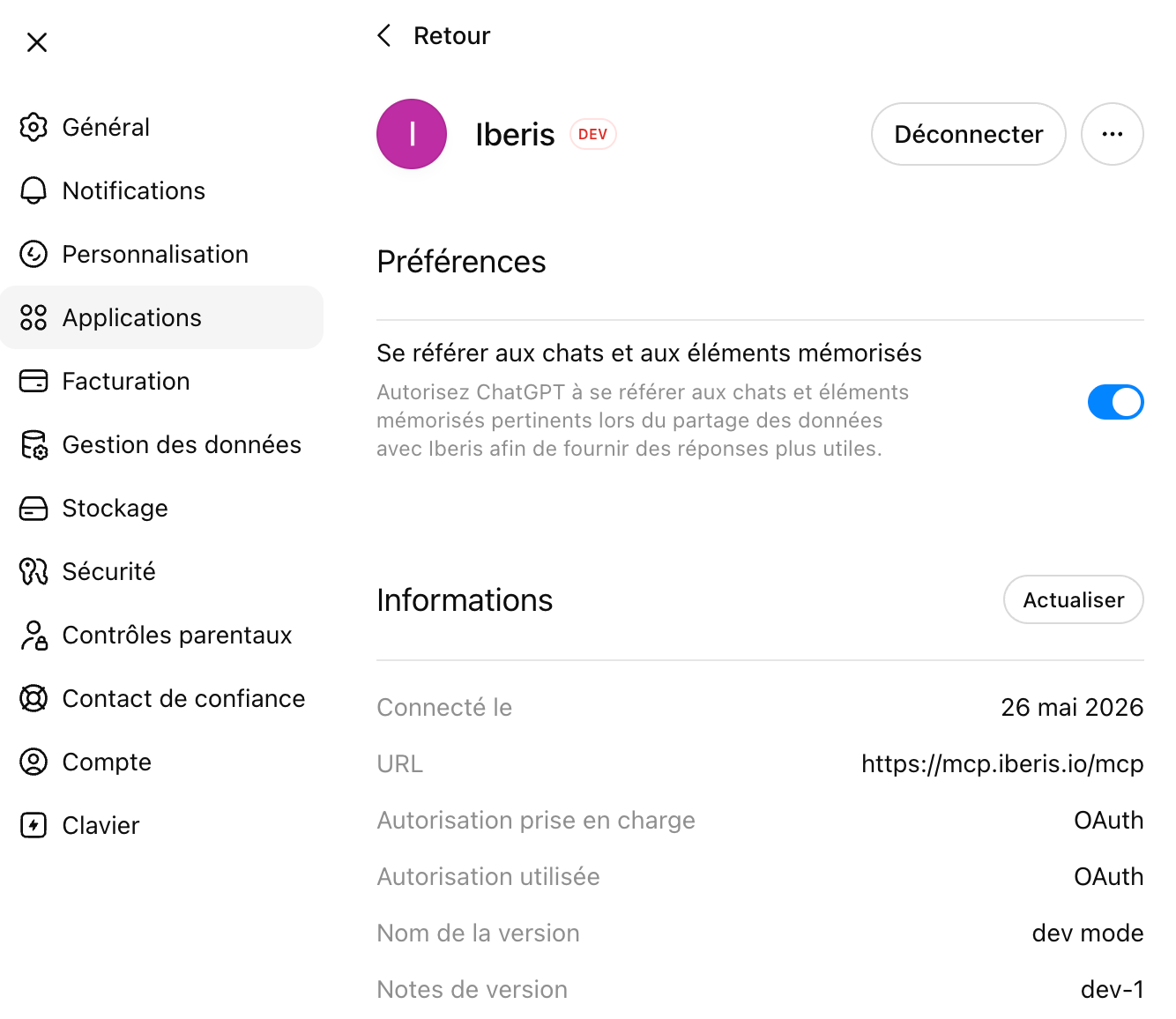
- Open ChatGPT and go to Settings
- Enable developer mode or advanced settings
- Select Connectors then Add an MCP server
- Paste the Iberis MCP connector URL above
- Sign in with your Iberis account to authorise access
- Your ChatGPT assistant now has access to your Iberis financial data
Frequently asked questions
Is my financial data secure?
What data is accessible through the connector?
Can I use AI assistants other than Claude and ChatGPT?
Ready to manage your finances through conversation?
Connect your AI assistant to Iberis in under 2 minutes and transform the way you manage your finances.














 Facebook
  Instagram
  Linkedin